Why Home Wi-Fi Dead Zones Happen in Terrace Houses and Condos
The router is in the living room and the signal is perfect there. Walk upstairs to the master bedroom, out to the kitchen at the back, or to the balcony of your condo, and the video call freezes, the streaming buffers and the Wi-Fi bars drop to one. That patch with no usable signal is a Wi-Fi dead zone.
If you have been searching for Wi-Fi dead zones in a terrace house, condo Wi-Fi weak signal or how to fix Wi-Fi not reaching upstairs, you are not alone. It is one of the most common home network problems we see across Kuala Lumpur, and in most homes it is a coverage problem, not a faulty router or a slow internet plan.
Terrace houses are usually long, narrow and two or three storeys high, with concrete floors and brick walls between the router and the rooms that need Wi-Fi. Condos are more compact, but thick concrete walls, metal doors and dozens of neighbouring networks can make some rooms just as weak. This guide explains why dead zones happen and which fixes actually work, so you do not spend money on the wrong gadget.
Usually a Coverage Problem
In most homes the internet plan is fine. The signal simply does not reach every room from where the router sits.
Test Before You Buy
A few free checks show whether you need a better position, a mesh system or just a setting changed.
One Gadget Rarely Fits All
A fix that works in a single-storey condo may fail in a three-storey terrace house. The layout decides the answer.
Honest Advice First
We check your layout and signal before we recommend anything, so you only buy what you need.
⚡ Quick test: Run a speed test standing next to the router, then again in the room with the weak signal. If the speed is fine beside the router but poor in the far room, you have a coverage problem. If it is slow even beside the router, the issue is the line or the router itself, and that is a different fix.
Signs You Have a Wi-Fi Dead Zone
A dead zone does not always mean zero bars. These are the signs we hear about most from customers in terrace houses and condos.
Bars Drop in Certain Rooms
Full signal in the living room, one bar or none upstairs, in the bedroom, kitchen or balcony.
Video Calls Freeze or Lag
Meetings and online classes cut out, but only when you move to a certain room.
Streaming Keeps Buffering
Netflix or YouTube works near the router but stalls in other rooms.
Devices Say Connected, No Internet
The phone shows Wi-Fi connected but pages will not load, a sign of a very weak link.
Smart Devices Keep Dropping
Cameras, smart plugs and TVs far from the router go offline again and again.
Works Only at Certain Times
Fine in the morning, slow at night. This can be crowded channels in a condo rather than distance.
What Really Causes Wi-Fi Dead Zones at Home
Wi-Fi signal gets weaker with distance and every obstacle in between. In Malaysian homes, these are the causes we find most often.
The router is in the wrong place. Many routers sit where the internet provider installed the fibre box, often near the front door, in a corner or low down on the ground floor. A router in the corner of a long terrace house wastes half its signal on the outside wall.
Concrete floors and brick walls. Concrete, brick and metal absorb and block Wi-Fi far more than drywall does. In a terrace house, a signal travelling up through a concrete floor to the master bedroom loses a lot of strength on the way.
Distance across several floors. A single router has limited range. Covering a two or three-storey house from one spot, usually the ground floor, rarely works for the top floor or the back of the house.
The 5GHz band does not travel as far. The 5GHz band is faster but has a shorter range and passes through walls less well than 2.4GHz. A phone connected to 5GHz may be fast beside the router and drop out two rooms away.
Crowded channels in condos. In a condo block, dozens of neighbouring routers compete on the same channels, especially on 2.4GHz. The result is slow or unstable Wi-Fi even when you are close to your own router.
Interference and clutter. Metal cabinets, mirrors, fish tanks, microwave ovens and cordless devices can all weaken or disturb the signal. A router hidden in a cupboard or behind the TV is a common cause.
An old or basic router. A router several years old, or a basic one supplied with the plan, may have weaker antennas and older Wi-Fi technology that struggles in a larger home or with many devices.
Wi-Fi Dead Zone Fixes That Actually Work
Start with the free fixes and only move to hardware if the problem is still there. Here is how the main options compare.
| Fix | Best For | Watch Out For |
|---|---|---|
| Move the router | Router stuck in a corner, cupboard or low shelf. Free. | Your fibre box may be fixed in one spot. You may need a longer cable from it to a better place, or a second device. |
| Change band and channel | Condos with crowded neighbours, or far rooms where 5GHz drops out. Free. | Takes a little testing to find the channel and band that suit your layout. |
| Mesh Wi-Fi system | Two or three-storey terrace houses and larger condos, where you want one network name across the home. | Nodes need a good signal from each other. Placing them too far apart gives weak results. |
| Wired access points (Ethernet cable) | The most reliable option where cable can be run, for example in a terrace house during renovation. | Needs cabling work. In a condo, check your management rules before drilling or running cable. |
| Powerline adapters | Homes where walls block signal and cabling is not practical. | Both adapters must be on the same electrical circuit, and speed depends on your home wiring. |
| Wi-Fi extender | One small weak spot close to the router’s range. | It repeats the signal, so speed drops and delay goes up. Often a second network name as well. |
| Upgrade the router | An old or basic router that cannot cover the home or handle many devices. | A better router alone will not fix thick floors and walls. It may need to be combined with mesh or an access point. |
Our experience is that for most multi-storey terrace houses, a mesh system or a wired access point on the upper floor solves the problem, while many condos only need a better router position and the right channel. If you are unsure, book a door-to-door onsite visit and we will check your home before you buy anything.
Terrace House vs Condo: What Works Best
The type of home matters more than the brand of the gadget. This is what we usually recommend for each.
Terrace House: Mesh or Wired
Long, narrow and multi-storey. A mesh system with a node upstairs, or an access point on the top floor with a cable, usually covers it best.
Terrace House: Router Position
Move the router away from the front corner towards the middle of the house, higher up, where possible.
Condo: Channel and Band
Compact layouts often need a better router position and a less crowded channel before any new hardware.
Condo: Far Rooms and Balcony
If one bedroom or the balcony is still weak, a single mesh node or access point is usually enough.
Both: Wire What You Can
Use Ethernet cable for desktop PCs, smart TVs and consoles. It frees up Wi-Fi for phones and laptops.
Both: Fewer Gadgets Is Better
One well-placed mesh or access point beats three extenders stacked in a row.
How to Check Your Coverage Before You Spend Money
Take a few minutes to run through these safe checks yourself.
- ✓Test next to the router: Run a speed test beside the router, ideally with a laptop on a cable, to see what your plan really delivers.
- ✓Test in the weak room: Run the same test in the dead zone. A big drop points to coverage, not your plan.
- ✓Check the band: See whether your phone is on 2.4GHz or 5GHz. If your router lets you split them, try each in the far room.
- ✓Move the router: Try a central, higher spot in the open, away from the TV, cupboard doors, metal shelves and microwave.
- ✓Restart and update: Restart the router and check for a firmware update. This clears many small glitches.
- ✓Count your devices: Many phones, TVs, cameras and smart plugs at once can slow a basic router. Note how many are connected.
- ✓Ask your internet provider: If the speed is slow even beside the router on a cable, contact your provider, as the line may be the problem.
- ✓Do not drill or run cable blindly: Check your condo management’s rules and what is behind the wall first. We can plan it with you.
If your laptop is the only device with a problem, it may be the laptop and not the Wi-Fi. See our latest guides for more help.
What Not to Do
A few common mistakes make dead zones worse or waste money.
Do Not Stack Extenders
Chaining several extenders cuts speed further each time. One good mesh or access point works better.
Do Not Hide the Router
In a cupboard, behind the TV or on the floor, the signal is blocked before it reaches the rooms.
Do Not Upgrade Your Plan First
A faster plan does not fix a coverage problem. Test the speed beside the router before paying more.
Do Not Buy by Big Numbers
Large speed figures on the box are lab numbers. Layout and walls decide what you actually get.
Do Not Ignore Your Neighbours
In a condo, a crowded channel can be the cause. Changing channel is free.
Do Not DIY Behind Walls
Drilling or running cable without checking can damage wiring or break condo rules.
Wi-Fi Coverage Check & Setup Turnaround
We look at your layout, signal and devices first, and explain the options before any work starts. Times below are estimates, and we confirm them after seeing your home.
| Service | What’s Included | Est. Turnaround |
|---|---|---|
| Wi-Fi Coverage Check | Checking signal in each room, router position, band and channel, and what is slowing the connection | Same day |
| Router Settings & Optimisation | Band and channel setup, firmware update and tidying the network for your devices | Same day |
| Mesh Wi-Fi Setup | Choosing and placing nodes, connecting them and testing every room | Same day |
| Access Point With Ethernet Cabling | Running a cable to the upper floor or far room and fitting the access point, depending on the route | 1 to 3 days, depending on the cabling route |
| Router or Network Replacement | Replacing an old router, with settings transferred and all devices reconnected | Same day to 2 days |
The cost depends on your home layout and the equipment chosen, so we quote after checking your home. You decide before anything is installed.
Why Customers Choose Us
When your Wi-Fi is weak, you want honest advice, not a box you may not need.
- ✓Test Before We Sell. We check your signal, router position and layout first, so a settings problem is not mistaken for a hardware problem.
- ✓4.9-Star Google Rating. Over 2,000 public Google reviews at our Setapak HQ alone, from real customers.
- ✓One of KL’s Established Independent Repair Centres. Serving Kuala Lumpur for 12 years, including home and office IT support.
- ✓Right-Sized Solutions. If a router move and a channel change fix it, we tell you so, instead of selling you a mesh system.
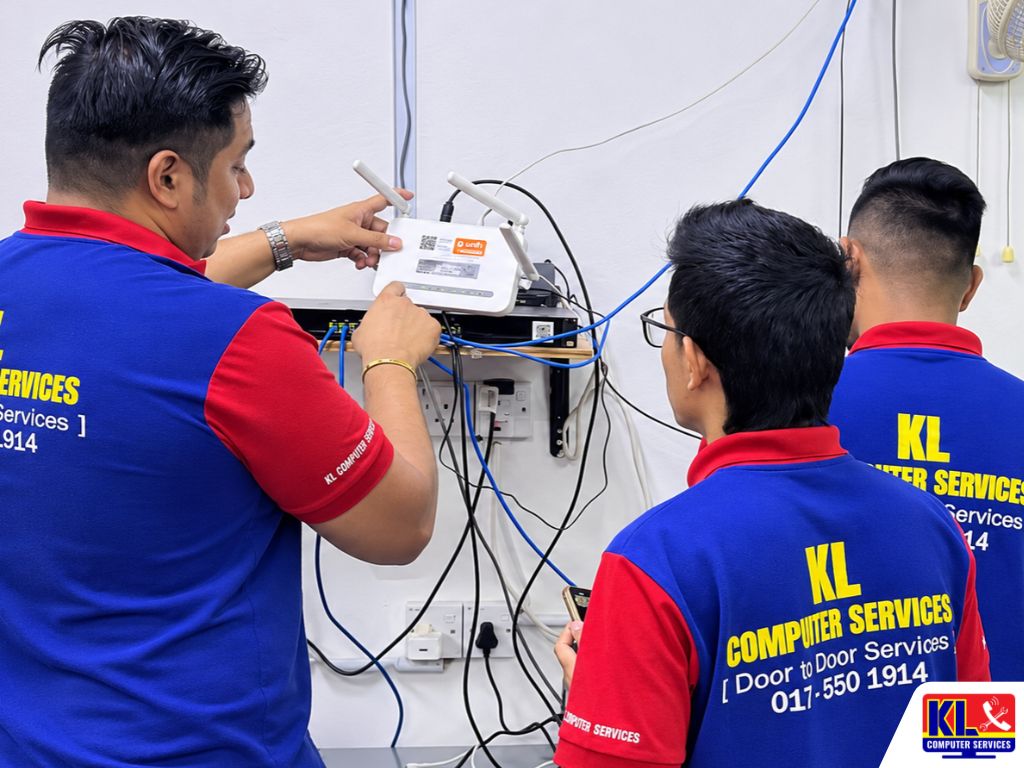
- ✓We Can Come to You. Our door-to-door service means we can check the actual rooms in your home, not guess from a description.
- ✓Clear About Equipment. We tell you upfront which equipment we recommend and why, so there are no surprises.
Visit Any of Our Branches
Prefer to talk it through first? Drop in or call any branch with your home layout and what is not working, and we will advise the next step.
📍 Setapak (HQ)
KL Computer Services Setapak
First Floor, 36-1, Jalan 2/23A, Taman Danau Kota, 53300 Wilayah Persekutuan Kuala Lumpur
Mon-Fri: 9am-7.30pm | Sat-Sun: 9am-7pm
📍 Cheras Branch
KL Laptop Shop Cheras Pandan Jaya
First Floor, 34-1A, Jalan Pandan 2/1, Pandan Jaya, 55100 Kuala Lumpur
Mon-Fri: 9am-7pm | Sat: 10am-7pm | Sun: Closed
📍 Ampang Branch
KL Computer Shop Ampang Pandan Indah
First Floor, 13M Jalan Pandan Indah 4/2 Ampang, 55100 Wilayah Persekutuan Kuala Lumpur
Mon-Fri: 9am-7.30pm | Sat-Sun: 10am-7pm
📍 Jalan Klang Lama Branch
KL Computer Services Jalan Klang Lama
First Floor, 2-1 Jalan Indrahana 1, Off Jalan Kuchai Lama, 58200 Wilayah Persekutuan Kuala Lumpur
Mon-Fri: 9am-7.30pm | Sat-Sun: 10am-7pm
If you run a shop or office and need Wi-Fi that covers the whole premises, our sister site KL Computer also handles business network and Wi-Fi setup across KL and the Klang Valley.
Prefer us to come to you? Book our door-to-door onsite IT services, or read about our network infrastructure installation and configuration on klcomputerservices.com.my.
Frequently Asked Questions
Written by the KL Computer Services team, based on 12 years of hands-on IT and laptop repair experience across Kuala Lumpur and Selangor. Read more on our About Us page or see what customers say on our Facebook page.