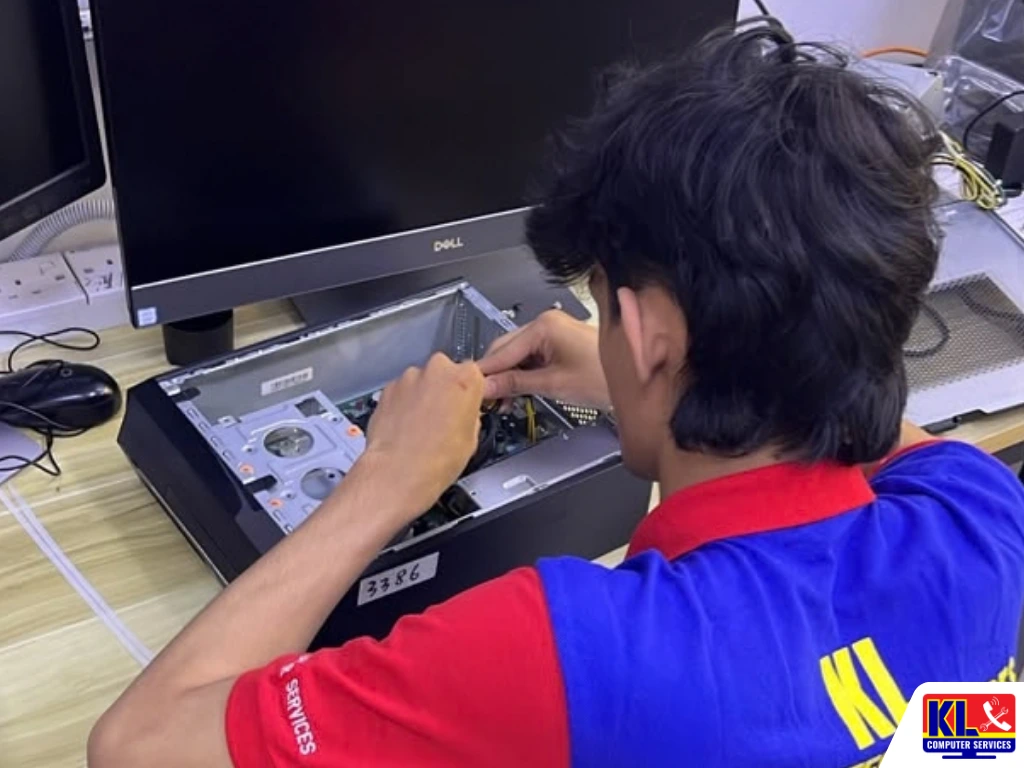
PC Won’t Turn On? Diagnose It Before It Gets Worse
You press the power button and nothing happens. No lights, no fan spin, no beep.
Or maybe the fans spin but the screen stays black. If you’re searching for PC won’t turn on or computer not booting KL, you’re not alone, it’s one of the most common repair calls we get.
The cause is often something small and fixable, but repeatedly forcing the power button or guessing at fixes can turn a simple problem into a costly one. Our technicians can usually pinpoint why your PC won’t turn on the same day you bring it in.
Stop After 3 to 4 Tries
Repeatedly forcing the power button on a unit with an electrical fault can make the damage worse.
Power Supply Is the Usual Suspect
PSUs often fail without warning, especially in Malaysia’s humid climate. A fine-yesterday, dead-today PC usually starts here.
Some Checks Are Safe at Home
Cables, sockets, and battery removal are fine to try yourself. Opening the unit isn’t.
Honest Assessment First
We diagnose before we repair, so you know what’s realistic before any cost begins.
⚡ PC completely dead right now? Unplug it, check the wall socket with another device, and confirm the PSU switch at the back is set to “on” before trying anything else.
Common Symptoms and What They Mean
Not every “won’t turn on” problem looks the same. What you’re seeing is actually a useful clue toward the cause.
Completely Dead
No lights, no sound at all. Usually the power supply, cable, or wall socket.
Fans Spin, No Display
Often a RAM, graphics card, or monitor connection issue rather than a dead unit.
Shuts Off After Seconds
Commonly overheating, a failing power supply, or a short circuit.
Beeping on Startup
The motherboard is signalling a specific fault, usually RAM or graphics related.
Common Causes of a PC That Won’t Turn On
When a PC won’t turn on, the reason usually falls into one of these categories.
Power supply issues. The most common culprit. PSUs wear out over time and rarely give warning before failing completely. See our desktop power supply repair and upgrade service for details.
Loose or faulty cables. A power cable not fully seated, a socket that’s lost contact, or a faulty extension board can look exactly like a dead computer.
RAM problems. Dislodged or faulty RAM sticks are a very common cause of a PC that powers on but shows nothing on screen, often paired with a series of beeps.
Overheating and dust buildup. Dust-clogged fans and vents cause components to overheat, which can trigger automatic shutdowns or block startup entirely as a protective measure.
Motherboard failure. Less common but more serious, often caused by a power surge, liquid exposure, or age.
Graphics card issues. If fans and lights come on normally but there’s no display at all, a loose or failing graphics card is worth checking.
What to Check (and Avoid) Before You Bring It In
Before you assume the worst about a PC that won’t turn on, a few safe checks can save you a trip. A few unsafe ones can turn a small problem into a big one.
- ✓Do test the wall socket with another device to confirm it’s actually supplying power.
- ✓Do check the cable is firmly plugged in at both ends, and try a spare cable if you have one.
- ✓Do confirm the PSU’s power switch at the back is set to “on” for desktops.
- ✓Do remove a laptop’s battery (if removable) and try powering on with just the charger connected.
- ✓Don’t keep forcing the power button repeatedly, stop after 3 to 4 tries.
- ✓Don’t open the unit or handle the power supply and motherboard yourself without the right tools.
Diagnosis & Repair Turnaround
Diagnosis always comes first. We identify the exact cause and explain your options before any repair work starts.
| Service | What’s Included | Est. Turnaround |
|---|---|---|
| Power-On Diagnosis | Full check across PSU, RAM, motherboard, and cabling, RM65 diagnostic fee | Same day |
| Power Supply Replacement | Faulty PSU swapped with a compatible unit | Same day to 2 days |
| RAM Reseat / Replacement | Cleaning contacts, reseating, or replacing faulty sticks | Same day |
| Motherboard Repair | Inspection and repair or replacement where the board itself has failed | 3 to 7 days, depending on parts |
Why Customers Choose Us
When your PC won’t turn on, you want a repair centre that gets it right the first time.
- ✓Same-Day Diagnosis. Walk in without an appointment and know your PC’s condition before you leave.
- ✓1,200+ Five-Star Google Reviews. Verified, public feedback from real customers across our branches.
- ✓One of KL’s Established Independent Repair Centres. Serving Kuala Lumpur for 12 years.
- ✓Honest Assessments. We tell you straight if a repair isn’t worth the cost, rather than charging for work with no real payoff.
- ✓Warranty on All Repairs. Every job backed by a warranty on labour and parts where applicable.
Visit Any of Our Branches
Drop in for a walk-in assessment, no appointment needed, at whichever branch is closest to you.
📍 Setapak (HQ)
KL Computer Services Setapak
First Floor, 36-1, Jalan 2/23A, Taman Danau Kota, 53300 Wilayah Persekutuan Kuala Lumpur
Mon-Fri: 9am-7.30pm | Sat-Sun: 9am-7pm
📍 Cheras Branch
KL Laptop Shop Cheras Pandan Jaya
First Floor, 34-1A, Jalan Pandan 2/1, Pandan Jaya, 55100 Kuala Lumpur
Mon-Fri: 9am-7pm | Sat: 10am-7pm | Sun: Closed
📍 Ampang Branch
KL Computer Shop Ampang Pandan Indah
First Floor, 13M Jalan Pandan Indah 4/2 Ampang, 55100 Wilayah Persekutuan Kuala Lumpur
Mon-Fri: 9am-7.30pm | Sat-Sun: 10am-7pm
📍 Jalan Klang Lama Branch
KL Computer Services Jalan Klang Lama
First Floor, 2-1 Jalan Indrahana 1, Off Jalan Kuchai Lama, 58200 Wilayah Persekutuan Kuala Lumpur
Mon-Fri: 9am-7.30pm | Sat-Sun: 10am-7pm
If it’s a business or office workstation that won’t boot, our sister site KL Computer also handles onsite computer and laptop repair across KL and the Klang Valley.
If the problem turns out to be software rather than hardware, our malware removal and desktop maintenance services can help too.
Frequently Asked Questions
Written by the KL Computer Services team, based on 12 years of hands-on desktop and laptop repair experience across Kuala Lumpur and Selangor. Read more on our About Us page or see what customers say on our Facebook page.