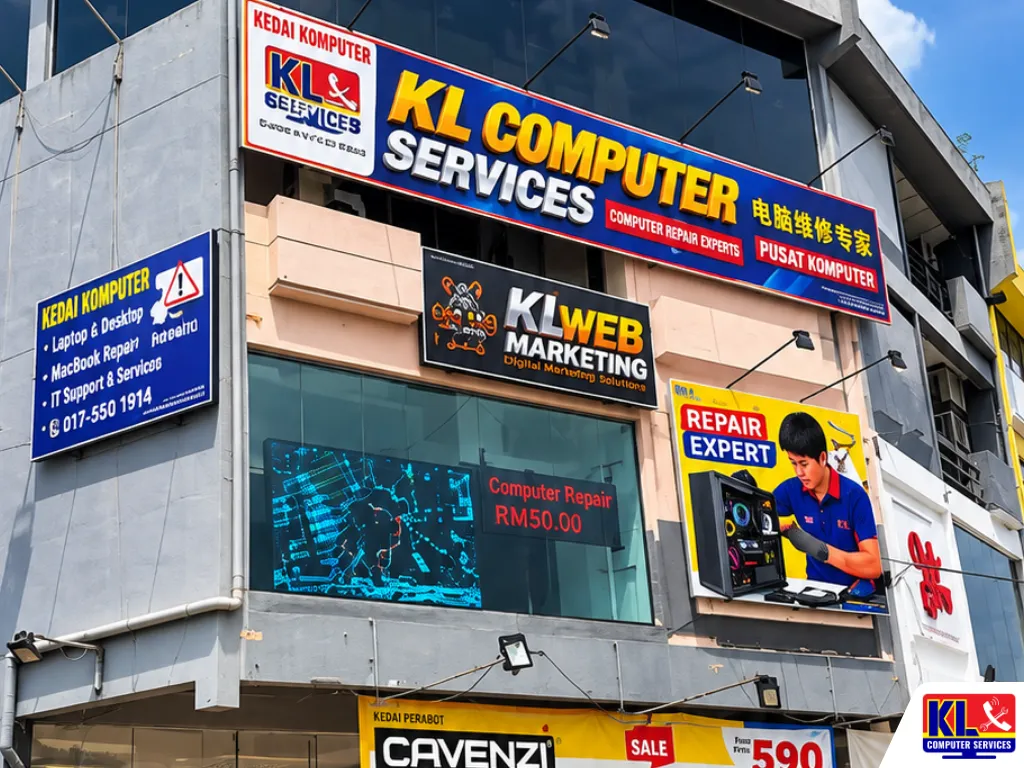
Professional Computer Repair Services in Kuchai Lama
When a computer stops working, you need more than a quick guess and a big bill. You need a technician who tests the problem properly, explains it clearly and fixes what is actually broken. Our Kuchai Lama computer repair branch, which also serves the Jalan Klang Lama area, was set up to do exactly that for students, families, home offices and small businesses.
If you have been searching for computer repair Kuchai Lama or laptop repair Jalan Klang Lama, you can walk in with a laptop or desktop and we will check it for you. We handle slow performance, software and virus problems, upgrades, screen, keyboard and battery repairs and motherboard faults. We have been serving Kuala Lumpur for 12 years, and many customers return because we are honest about what needs fixing and what does not.
⚡ Need it checked today? No appointment is needed. Walk in to our Kuchai Lama branch with your device and charger, and we will tell you what is wrong. Our standard diagnostic fee is RM65, and no repair work starts until you agree.
Our Kuchai Lama Branch
We are located on the first floor at Jalan Indrahana 1, just off Jalan Kuchai Lama. Use the button below to open the route in Waze.
📍 Jalan Klang Lama Branch
KL Computer Services Jalan Klang Lama
First Floor, 2-1 Jalan Indrahana 1, Off Jalan Kuchai Lama, 58200 Wilayah Persekutuan Kuala Lumpur
Mon-Fri: 9am-7.30pm | Sat-Sun: 10am-7pm
What We Repair in Kuchai Lama
Our Kuchai Lama branch looks after both laptops and desktop computers. These are the main services customers ask for.
| Service | What’s Included | Good For |
|---|---|---|
| Laptop Repair | Diagnosis and repair of power, display, keyboard, battery, charging and motherboard faults | Laptops that will not start, charge or display properly |
| Desktop Computer Repair | Fault finding, power supply and component replacement, cleaning and maintenance | Home and office PCs that crash, restart or will not boot |
| Laptop Screen & Keyboard Replacement | Replacing cracked screens, flickering displays and faulty keyboards | Drops, spills, lines on screen and keys that do not work |
| Battery & Charging Repair | Battery testing and replacement, charging port and power circuit repair | Laptops that drain fast, will not charge or shut down suddenly |
| SSD & RAM Upgrade | Fitting a compatible SSD or extra memory, with your files moved across | Slow, old computers that still have life in them |
| Windows & Software Repair | Windows reinstall with backup, virus and malware removal, driver and update problems | Slow startup, pop-ups, blue screens and boot errors |
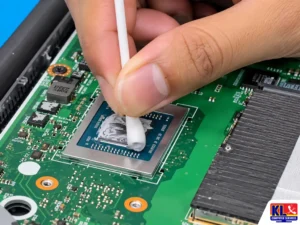
| Overheating & Cleaning | Internal cleaning, fan service, thermal paste replacement | Loud, hot laptops that shut down under load |
| Hard Disk & Data Help | Drive testing, replacement and file transfer. Data recovery is available through our sister site. | Clicking drives, missing files, drives that are not detected |
Not sure which service you need? Describe the problem when you arrive and we will point you in the right direction. For a wider overview, see our laptop repair services and desktop repair and maintenance pages.
Common Problems We Fix
If your computer is doing any of these, it is worth having it looked at before it gets worse.
- ✓Will not turn on or charge. No lights, no fan, or the battery stays at the same percentage when plugged in.
- ✓Very slow or freezing. Often an old hard disk, too little memory or unwanted software. An SSD upgrade can make a big difference.
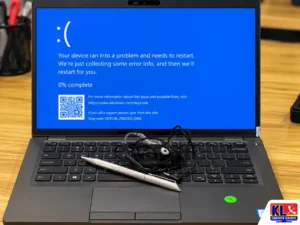
- ✓Blue screen or restart loop. Caused by drivers, memory, storage or system file problems.
- ✓Overheating and random shutdowns. Usually dust, a worn fan or dried thermal paste.
- ✓Cracked, dim or flickering screen. After a drop, pressure on the lid or a loose display cable.
- ✓Liquid spill. Switch it off straight away and bring it in as soon as possible. The sooner it is cleaned, the better the chance of saving it.
- ✓Viruses, pop-ups and a hijacked browser. Removal and cleanup, with your files kept safe.
How Our Repair Process Works
We keep the process simple and clear, so you always know what is happening with your computer.
- 1.Walk in. Visit our Kuchai Lama branch with your laptop or desktop and tell us what is happening.
- 2.We diagnose. We test the hardware and software to find the real cause, rather than replacing parts by guesswork.
- 3.You get a clear quote. We explain the problem, the options and the cost. Nothing is repaired until you say yes.
- 4.We repair and test. Once approved, we carry out the repair and test the computer properly before returning it.
- 5.You collect. We let you know when it is ready to pick up.
Repair Turnaround
Many common repairs can be done quickly. These are typical estimates for the Kuchai Lama branch.
| Service | What’s Included | Est. Turnaround |
|---|---|---|
| Diagnosis | Hardware and software testing to find the cause | Same day to 1 day |
| Windows & Software Repair | Virus removal, driver fixes, Windows repair or reinstall with backup | Same day to 2 days |
| SSD or RAM Upgrade | Compatible part fitted, Windows and files set up | Same day to 2 days, depending on parts |
| Cleaning & Thermal Paste | Internal cleaning, fan service, fresh thermal paste | Same day to 1 day |
| Screen, Keyboard or Battery Replacement | Replacing the faulty part with a compatible one | Same day to 3 days, depending on parts |
| Liquid Damage Cleaning | Opening, cleaning and testing the affected parts | 2 to 5 days |
| Motherboard or Graphics Repair | Board-level diagnosis and repair for hardware faults | 3 to 7 days, depending on parts |
Turnaround times are estimates and depend on the model and parts on hand. We confirm the exact timing and cost after the check.
Support for Small Businesses and Offices
For a small business, a broken computer means lost work and lost sales. We help shops, clinics, offices and home businesses keep their computers running.
- ✓Fast fault finding. We find out quickly whether a computer can be fixed or needs replacing, so you can plan around it.
- ✓Upgrades instead of replacement. An SSD or extra RAM can often give an older office PC several more years of use.
- ✓Virus and security cleanup. Removing malware and fixing the problems it leaves behind.
- ✓Ongoing IT support. For several computers, networks or regular maintenance, see our business IT support across KL and the Klang Valley.
Before You Visit
A little preparation helps us find the problem faster.
- ✓Bring your charger. It lets us test whether the fault is in the laptop or the power adapter.
- ✓Note when it started. Did it happen after a drop, a spill, an update or a power cut? This is very useful for diagnosis.
- ✓Take a photo of any error. A photo of a blue screen or error message saves time.
- ✓Back up if you can. If the computer still starts, copy your important files first.
- ✓Switch off after a spill. If liquid got into the laptop, do not try to turn it on again. Bring it in as it is.
Areas Near Our Kuchai Lama Branch
Our branch off Jalan Kuchai Lama is convenient for customers living or working in Kuchai Lama, Taman Desa, Old Klang Road (Jalan Klang Lama), Taman OUG, Sri Petaling, Happy Garden, Bukit Jalil and nearby neighbourhoods.
Students, families, home offices and small businesses in the area all use our walk-in service for everyday computer and laptop problems. This branch is open seven days a week, so weekend visits are easy.
Why Customers Choose Us
You have many repair shops to choose from. Here is what makes people come back to us.
- ✓Same-Day Check. Walk in without an appointment and find out what is wrong.
- ✓4.9 Google Rating From Over 2,000 Reviews. Verified, public feedback from real customers on our Setapak branch listing.
- ✓One of KL’s Established Independent Repair Centres. Serving Kuala Lumpur for 12 years, with four branches across the city. See inside our workshop.
- ✓Clear Quotes, No Surprises. We explain the problem and the cost first, and no work starts until you agree.
- ✓Your Data Comes First. We back up before any reinstall, and fix hardware and software problems in one place.
Our Other Branches
If another branch is closer to you, you are welcome to visit any of them for the same walk-in assessment.
📍 Setapak (HQ)
KL Computer Services Setapak
First Floor, 36-1, Jalan 2/23A, Taman Danau Kota, 53300 Wilayah Persekutuan Kuala Lumpur
Mon-Fri: 9am-7.30pm | Sat-Sun: 9am-7pm
📍 Cheras Branch
KL Laptop Shop Cheras Pandan Jaya
First Floor, 34-1A, Jalan Pandan 2/1, Pandan Jaya, 55100 Kuala Lumpur
Mon-Fri: 9am-7pm | Sat: 10am-7pm | Sun: Closed
📍 Ampang Branch
KL Computer Shop Ampang Pandan Indah
First Floor, 13M Jalan Pandan Indah 4/2 Ampang, 55100 Wilayah Persekutuan Kuala Lumpur
Mon-Fri: 9am-7.30pm | Sat-Sun: 10am-7pm
For specific problems, see our hard disk repair service, our desktop memory upgrade service and our guide on when to replace thermal paste.
Our sister site also covers Windows reinstall and software services, laptop SSD upgrades and data recovery.
Frequently Asked Questions
Written by the KL Computer team, based on 12 years of hands-on laptop and desktop repair experience across Kuala Lumpur and Selangor. Read more on our About Us page or see what customers say on our Facebook page.